

New on Shopfront
New on Shopfront: July & August 2026
Unknown Author
Welcome to what’s new on Shopfront for July & August 2026. We’ve got major features, minor features and a whole bunch of bug fixes for you
Note: Some of these changes are gradually rolling out to stores, some of these changes may not be received in your store for a couple of weeks.
Major Features
Metcash Host File
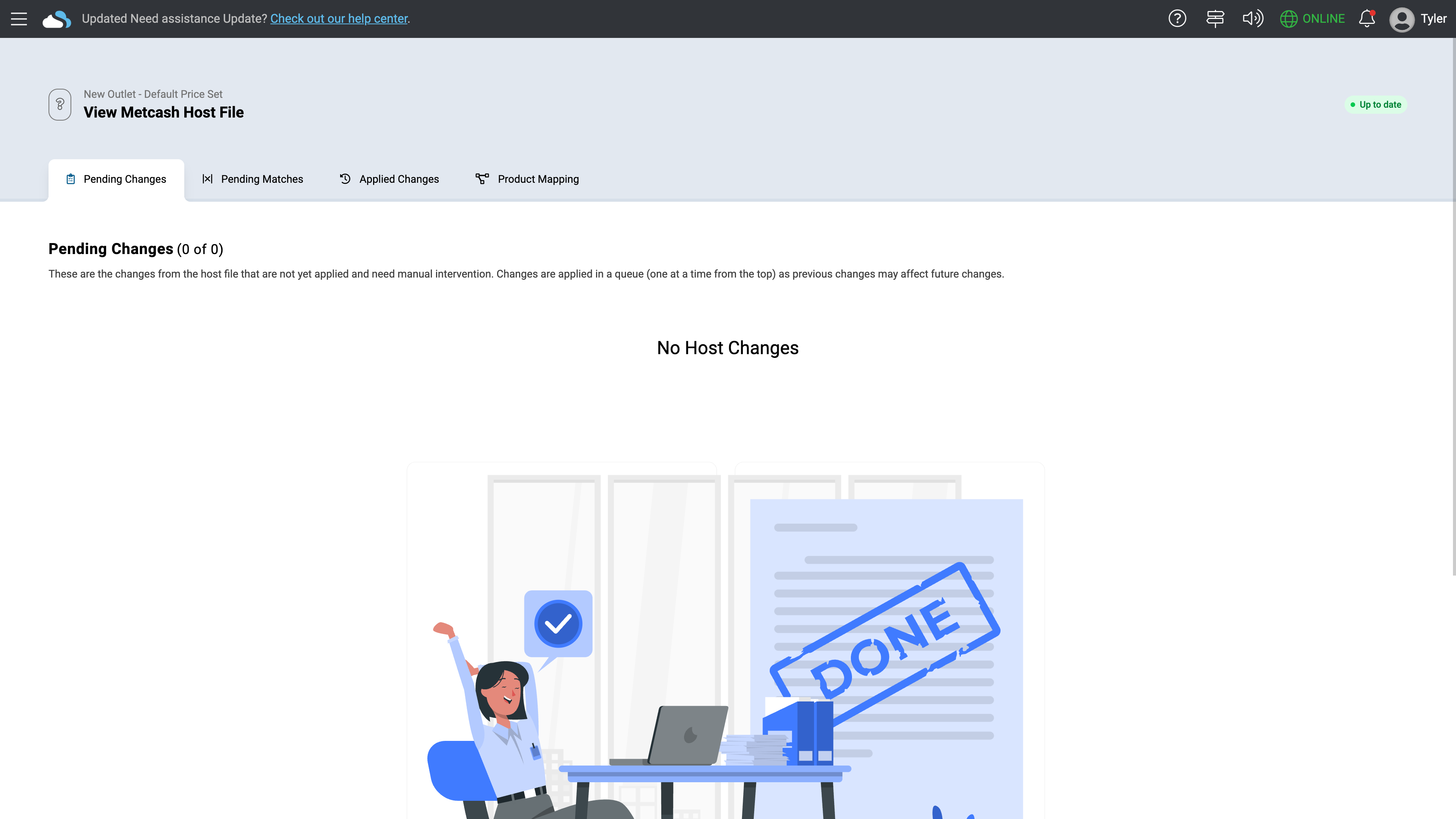
We've been working directly with Metcash to bring their Host file feed straight into Shopfront, so your product data stays in sync automatically instead of you re-entering costs, prices, and classifications by hand every time Metcash sends through an update.
What it means for you:
Less manual data entry — cost, price, and classification changes from Metcash flow straight into your product file automatically
Nothing slips through unnoticed — anything Shopfront can't confidently match on its own (a new item, a conflicting name or barcode) lands in a simple review queue instead of being silently skipped
You stay in control — match an incoming item to an existing product, create a new one, or ignore it, all from one screen
Cleaner product data — discontinued or delisted items flagged by Metcash are easy to find and clean up in Product Utilities
Metcash has to onboard you to use the Host File in Shopfront and they’re contacting stores to move them on over time, if you’d like to start using it, get in touch with your BDM.
New Ticket Queue
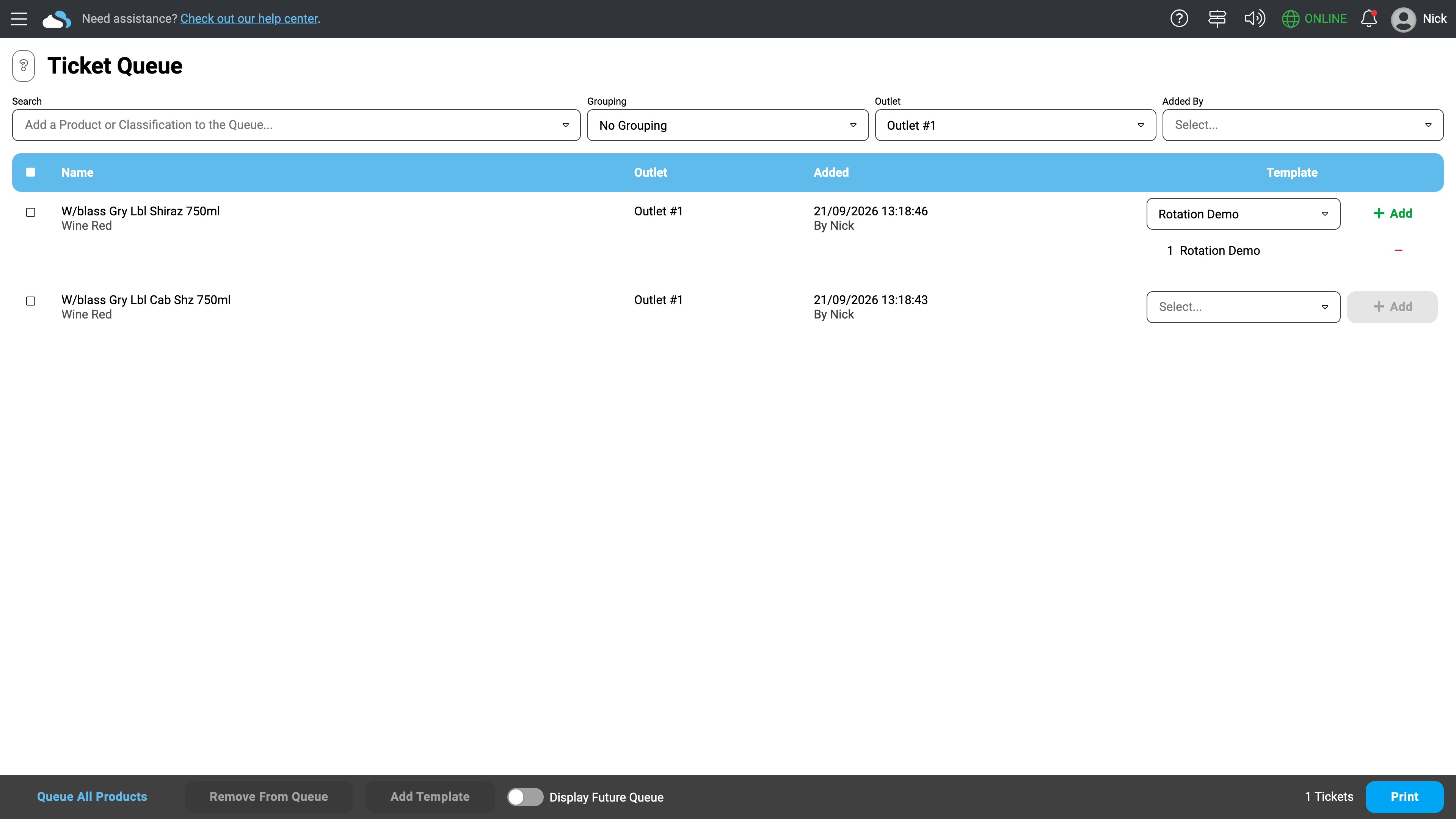
We've rebuilt how you manage and print shelf tickets (your in-store price tags) from the ground up. Instead of manually tracking what needs a new label, the new ticket queue does it for you — automatically flagging any product, promotion, or upcoming price change that needs a fresh tag printed, and showing you exactly why (what changed, and when).
What's new:
Automatic queuing — price changes, new products, and even scheduled future price changes are added to the queue for you, so nothing gets missed
Know why, at a glance — every queued item shows what changed and who changed it, sourced straight from the product's history
Design your own tickets — build your own label templates and page layouts, or start from a library of ready-made designs
We’re onboarding stores over time by banner group, if we haven’t reached out to you yet and you’d like to get onboard, feel free to reach out to our support team.
New Customer Edit Page
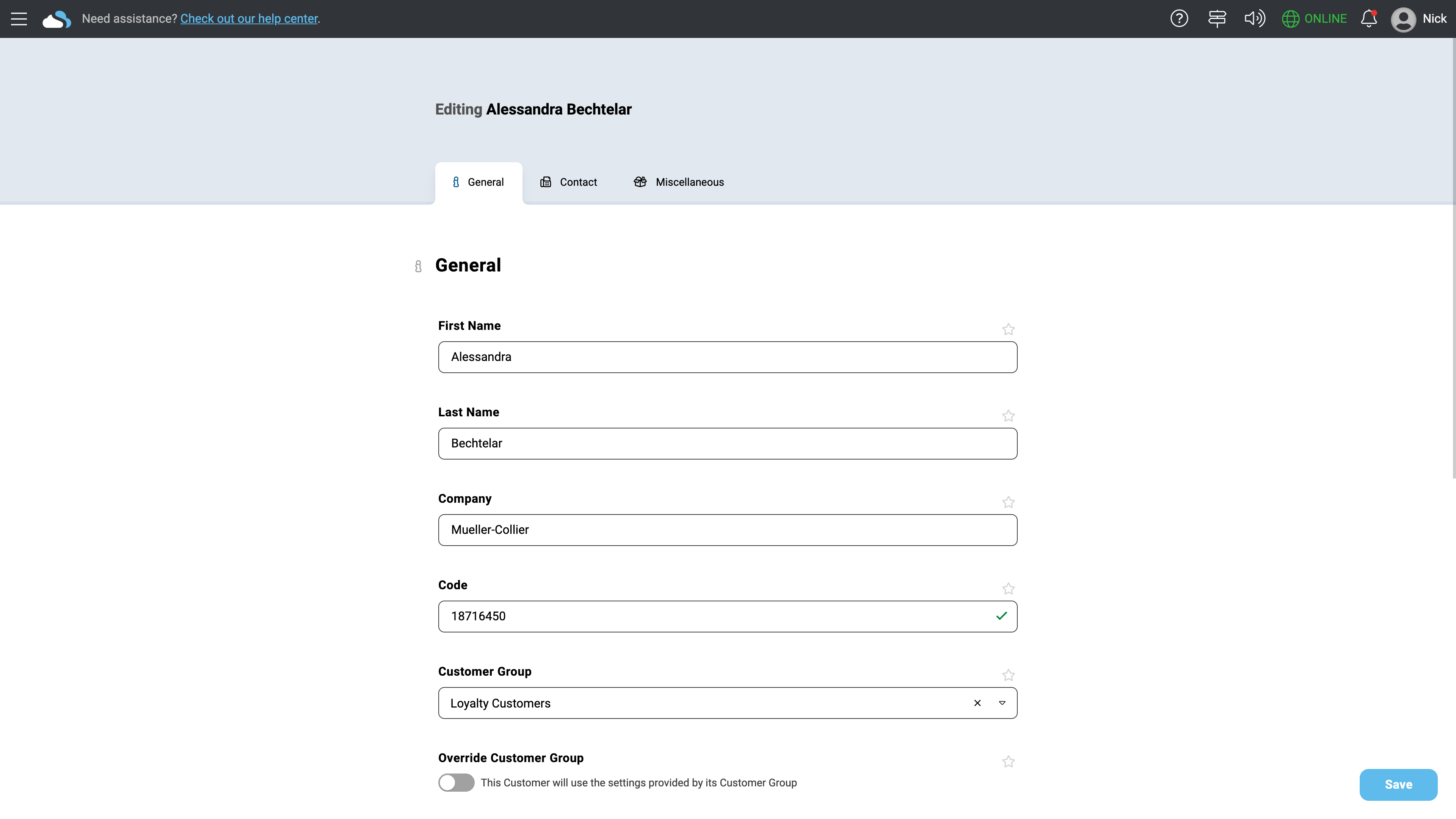
We've rebuilt the customer edit page with a cleaner, more organised layout and a few handy new capabilities that make managing customer records faster and less error-prone.
What's new:
Organised into tabs — General, Contact, Account, Special Pricing, and Miscellaneous, instead of one long scrolling page
Multiple email addresses — add and remove individual emails for a customer, rather than juggling one combined field
Duplicate-detail warnings — as you type a phone number or email, we'll flag if another customer already has that value, so you can catch accidental duplicate records before they happen
Pin your most-used fields — favourite the fields you use most so they're always front and center
Redesigned Developer Portal
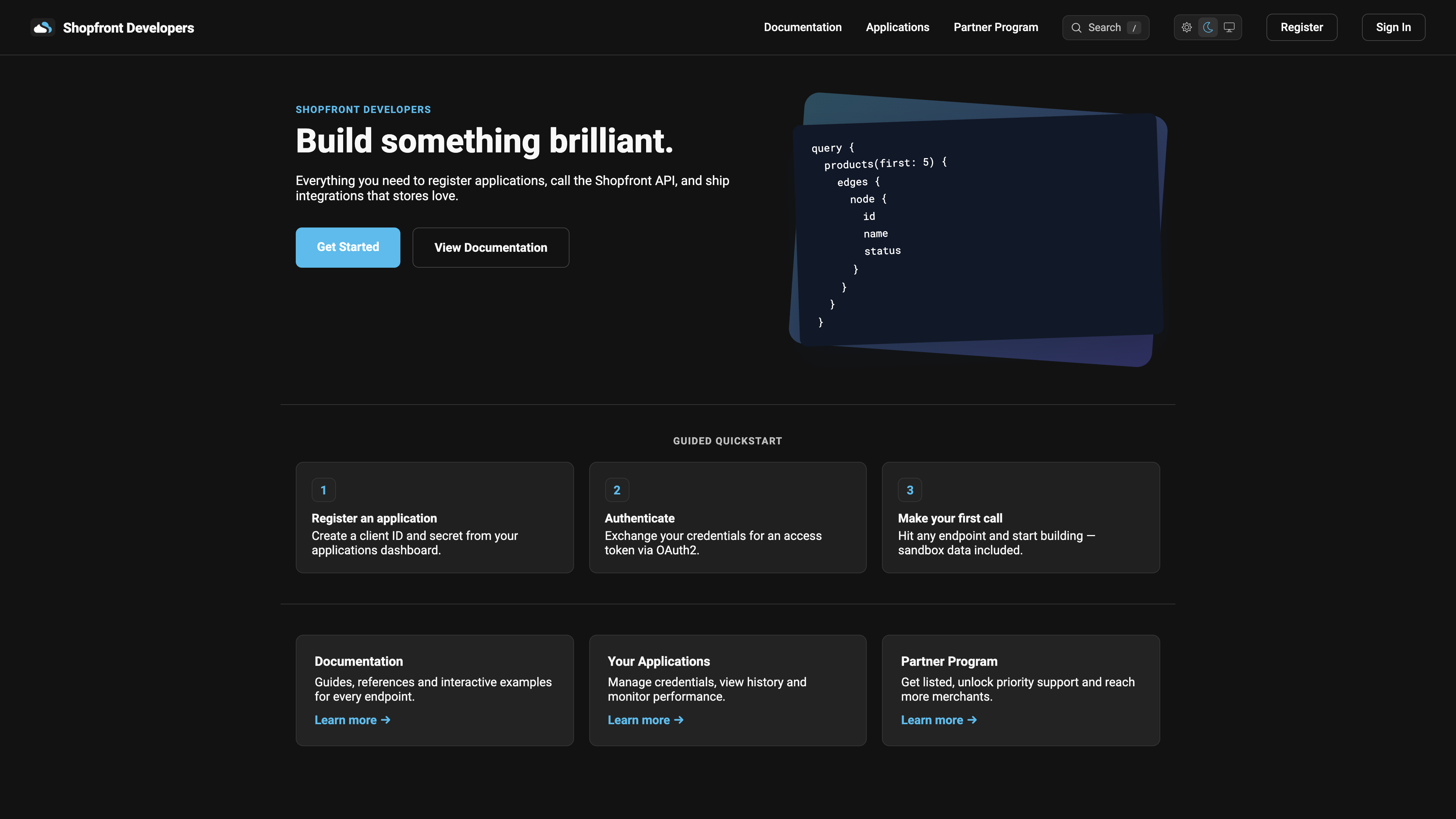
We've rebuilt the developer portal from the ground up — new look, faster pages, and built specifically so both humans and AI coding agents can find what they need quickly. The homepage now leads with a live GraphQL example and a three-step guided quickstart to get your first API call working in minutes.
What's new:
Refreshed homepage with a live GraphQL code sample and a Guided Quickstart (register an application → authenticate → make your first call)
New dark mode styling,
Unified login, registration, and account pages with a cleaner, consistent layout
All documentation pages now render as fast, static HTML instead of a client-side app,
Built for AI, not just people: every doc page now has a matching Markdown version (just add
.mdto the URL), and the site publishes anllms.txtindex listing every page — so AI assistants and coding agents can discover and read the docs directly, without having to scrape rendered HTML
Minor Features
Improved user feedback when uploading files that are too large,
Added a select all button for case quantity adjustments to align a column quickly,
Improved error feedback when merging products,
Added created by, price set and search by name filters to the future price utilities page,
Rebuilt the reporting query language parser to be faster and provide better error messages,
Training mode text on receipts can now be customised,
Added ability to specify specific or different text if a receipt is reprinted instead of the original,
Express promotions now display the average cost, normal price and profit percentage for family lines,
Adjusted algorithm for determining profit percentage when the cost of goods is less than zero and the product’s price is greater than zero,
Files and folders can now be dragged to move to other folders in the media centre,
Added an indicator to the media centre which shows whether a folder contains any items in it,
Added detection of unusual price points when editing products (e.g. negative profit, prices out of order),
Redesigned the price list index, view and edit pages to use our new UI,
Redesigned the register closure index page to use our new UI,
Redesigned the gift cards index page to use our new UI,
Added automatic future price deduplication,
[Developers] The direct authentication URL for approved applications can now be edited without contacting Shopfront,
[Developers] Added attaching images in bulk to the
updateProductsmutation,[Developers] Added ability to specify the payment subtype and additional payment options through the Embedded API,
[IBA eCommerce] Added a button to bulk toggle whether all items are being sold online or not,
[MYOB] Adjusted to use MYOB’s new scopes for user authentication
Bug Fixes
Prevented the new ticket queue from crashing if you change register locations while it’s open,
Pressing cancel on the print preview of the new ticket queue while printing future prices now returns you to the future prices section instead of the general print queue,
Going directly to an invoice via the URL instead of through the UI no longer shows a 404 page,
New ticket queue print preview no longer expands the page when rotating the paper,
Saving the settings of a different Outlet to the one you’re currently in no longer kicks you out of the Outlet,
Exported stocktake PDFs correctly use the store’s local time instead of being displayed in UTC time,
New product notifications can now be marked as read / deleted when you aren’t in a register,
Prevented products with a regular sell price of $0 from causing sales to not display loyalty correctly on receipts,
Long supplier names no longer push the action buttons off the screen on the supplier index page,
Updating multiple capped pricing products quickly no longer discards the cents portion of the price changes,
Prevented concurrently modifying a promotion causing duplicate criteria to be inserted,
Prevented vendor connections which contained a product quantity of zero from appearing to the receiving vendor,
Order date in the sell screen product information no longer displays invalid date for orders that haven’t been received,
Fixed numerous UI display issues across Shopfront,
Fixed a price calculation issue where multiple optional products in a single promotion across multiple criteria were added when another product as also active in a separate criteria,
Prevent invoice numbers from going backwards when kicking registers off the current session,
[Developer] Creating a promotion without specifying Outlets no longer causes an error instead of inserting into all Outlets,
[Developer] Improved rate limiter consumption of connection lists, they now use actual returned counts of items instead of expected return counts of items
Developer — Privacy — Terms & Conditions — Copyright © 2026 Shopfront